About this tool
Free grayscale PDF converter and black and white PDF converter.
If you need a clean grayscale PDF or a true black and white PDF, this free online tool is built for that job. It runs entirely in your browser, so you upload a file, tune the preview, and download a printable result without sending documents to a remote server.
People reach for it when a color file is hard to read, expensive to print, or too noisy for archival use, and when they need a color to black and white PDF workflow for forms, contracts, or scanned books. The converter covers both paths: soft grayscale cleaning for natural pages, and high-contrast black-and-white mode when you want solid ink on white paper.
Color PDF to grayscale PDF in a few steps
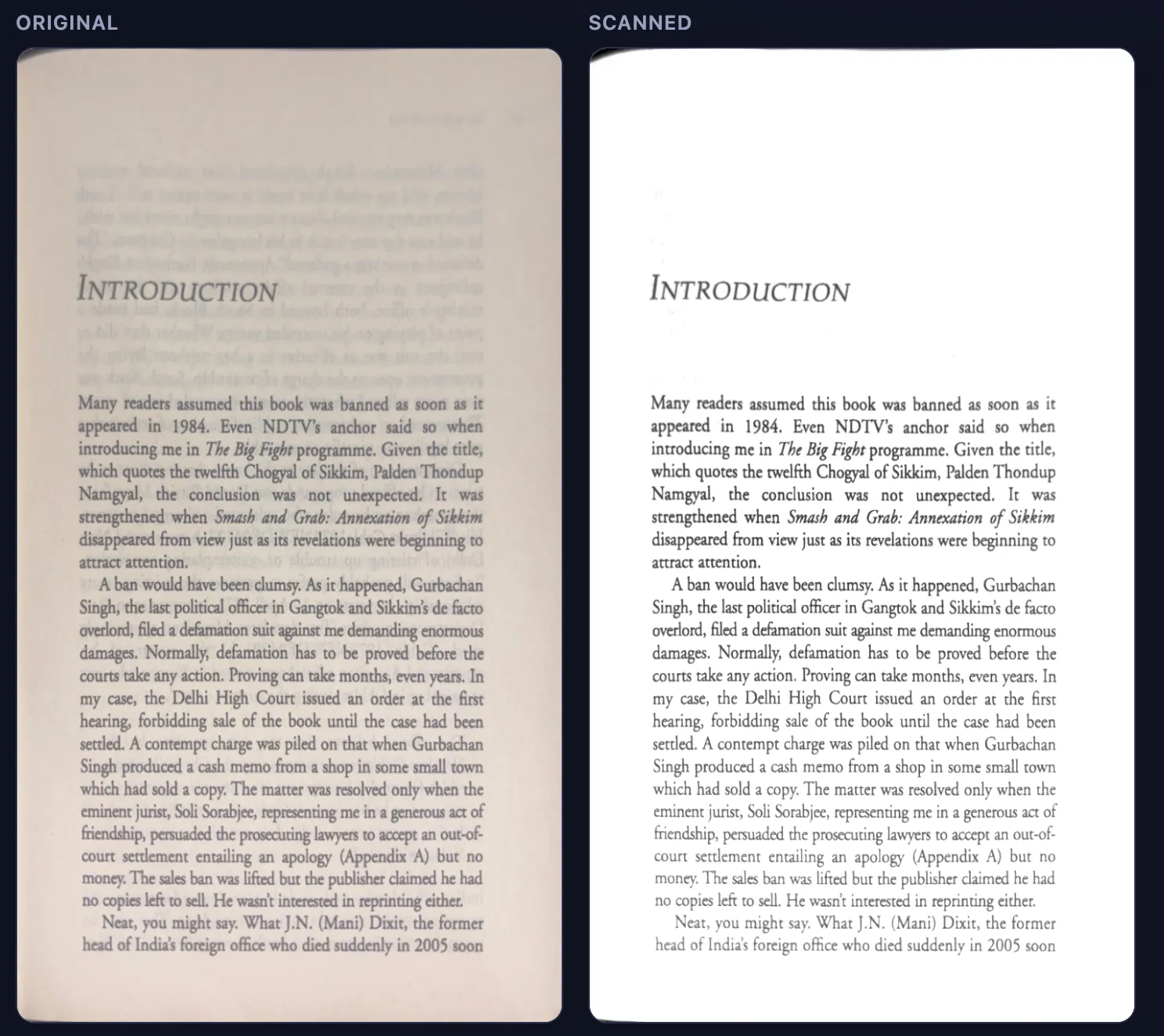
Drop your file into the upload area, keep Grayscale selected, and watch the live preview update as you adjust ink threshold, detail size, contrast, and resolution. When the page looks right, convert every page at once and download a new grayscale PDF. The same pipeline also finishes exports from other apps, so shadows, yellow paper tint, and show-through disappear before you print or share.
Convert grayscale PDF to black and white
Prefer pure ink? Switch to Black & White to convert with adaptive thresholding — ideal for photocopying, OCR preparation, or low-cost mono printing. You can also start from a photographed book page, deskew it with the four-corner crop tool, then export a cleaned scan that looks like it came from a flatbed rather than a phone camera.
Private by design
Processing stays on your device, so drafts, ID scans, and client files never leave your machine. Resolution presets from 120 to 300 DPI let you balance file size against sharpness, and you can apply one crop frame across an entire book when pages share the same framing.
- Grayscale PDFClean color PDF to grayscale PDF with white backgrounds.
- Black and white PDFConvert color or grayscale to solid black ink on white.
- Crop & deskewStraighten photographed book pages with four draggable corners.
- Private by designNo upload servers — conversion stays in your browser.